
Slack, Microsoft Teams, or Google Chat?
Choosing the Right Tool for Your Virtual Team
Hiring a virtual assistant (VA) is a game-changer, but how do you manage them effectively without getting lost in email chains or missed messages? With the global shift to remote work, 72% of businesses have adopted new collaboration tools to stay connected (Scoop.market.us). The key to a successful VA partnership is seamless communication. The right tool ensures your VA integrates perfectly with your team, stays aligned with your goals, and delivers outstanding results. Let’s explore how Slack, Microsoft Teams, and Google Chat can optimize your VA collaboration.
Collaboration Software Market Share, 2025
Estimated global market distribution
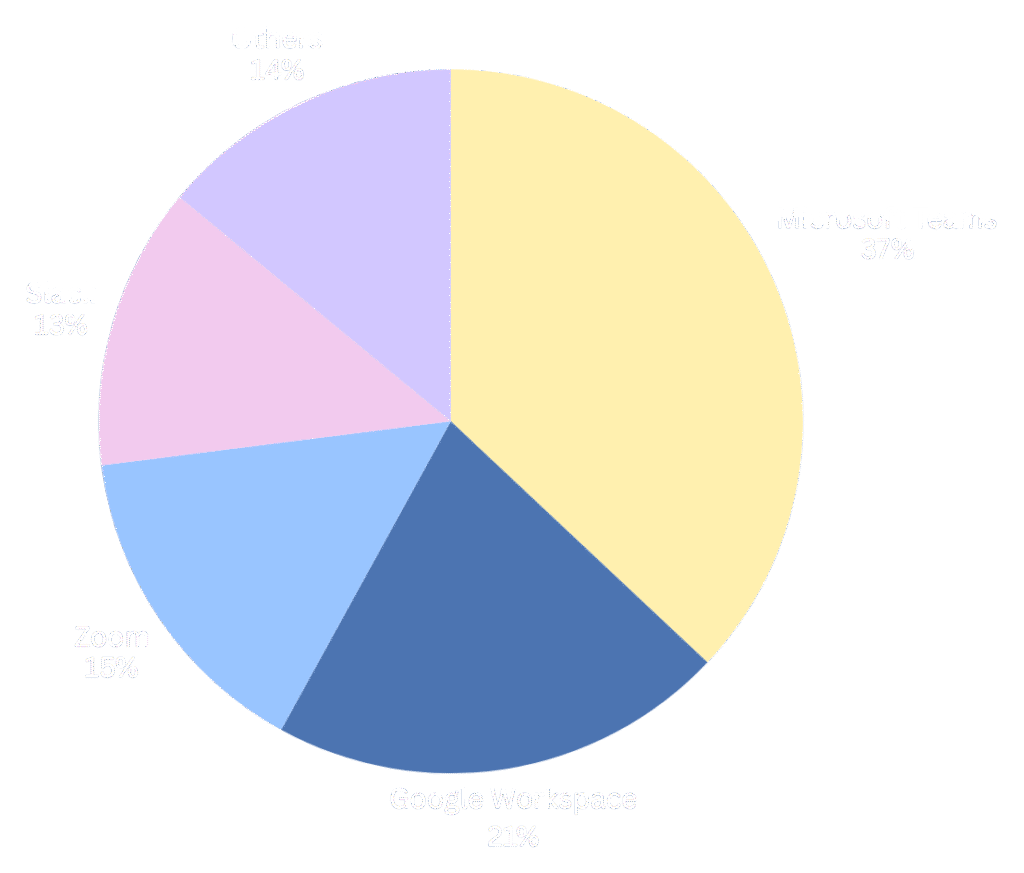
Data Source: SQ Magazine (2025), Scoop.market.us (2025)
Level Up Your VA Workflow with Slack
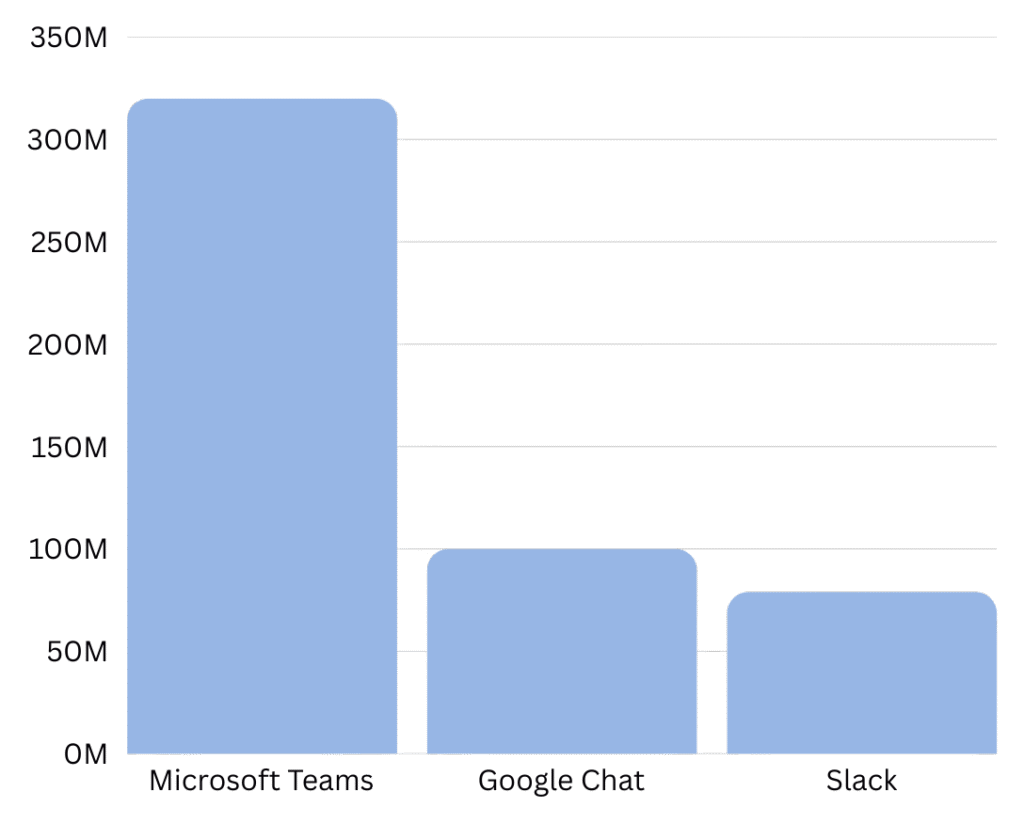
With an estimated 79 million monthly active users, Slack is ideal for businesses that need a flexible, fast-paced way to work with VAs on specific projects (ElectroIQ). It centralizes communication in “channels,” allowing you to create dedicated spaces for each VA or task. This keeps conversations organized and ensures your VA has all the context they need without accessing unrelated company information.
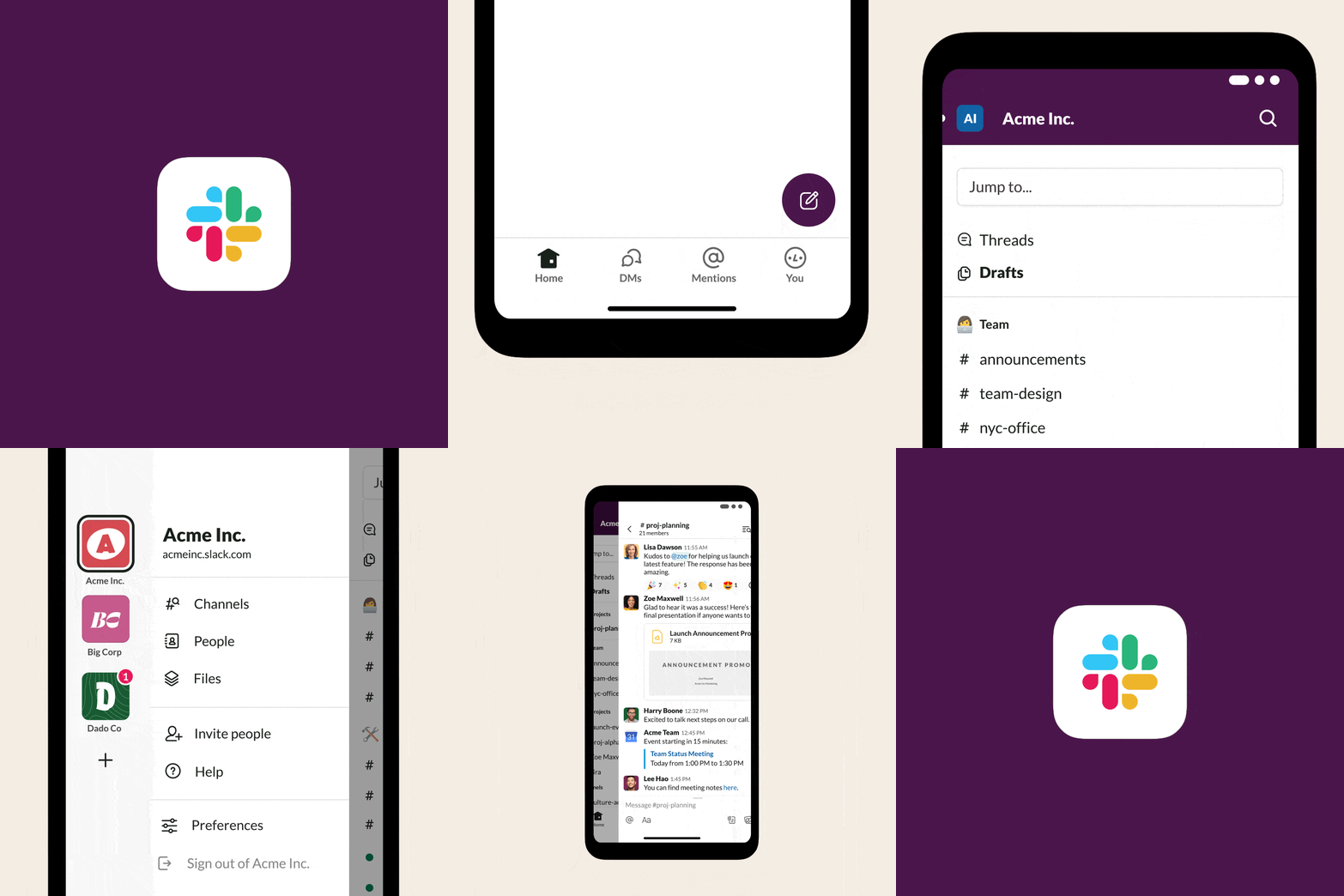
For managing a VA, Slack offers powerful features. You can create private channels for confidential client-VA communication, use threaded conversations to provide clear feedback on tasks, and even automate routine check-ins with its Workflow Builder. The Canvas feature is particularly useful, acting as a persistent information hub within a channel—perfect for storing project briefs and key resources for your VA. This makes it best suited for businesses hiring VAs for dynamic, project-based work like marketing or creative tasks. For example, a social media VA can use a #social-media-campaign channel to post content drafts. You can provide feedback in a thread, and once approved (with a simple ✅ emoji), an integrated app like Buffer can schedule the post automatically. To enhance security and maintain clear boundaries, you can use Slack Connect to create a shared channel with a VA who operates as an independent contractor, keeping all communication in one place without granting them full access to your entire workspace.
MICROSOFT TEAM:
For Integrating VAs into Your Corporate Structure
If you view your VA as a long-term, integral part of your team, Microsoft Teams is the perfect fit. It combines chat, video meetings, and file collaboration within the secure Microsoft 365 ecosystem. This allows you to onboard your VA just like an in-house employee, giving them structured access to the tools they need. With over 320 million monthly users, it provides a familiar and professional environment for client-VA collaboration (Business of Apps).
Teams excels at deeply embedding VAs into daily operations, especially for companies already using Microsoft 365. You can grant a VA access to specific team channels, co-author Word and Excel documents in real-time, and use the integrated Planner tool to assign and track tasks seamlessly. Its deep integration with Outlook also simplifies calendar management. For instance, an administrative VA can manage your schedule in Outlook, prepare meeting agendas in a shared Word document, and use auto-generated meeting transcripts to create and assign action items in Planner. A great way to ensure consistency is by utilizing the Wiki tab within a Teams channel to create a living Standard Operating Procedures (SOPs) manual for your VA, ensuring they always have access to the latest processes and guidelines.
Monthly Active Users Comparison
Estimated for 2025, in millions
Google Chat: For Simple, Seamless VA Collaboration
For businesses running on Google Workspace, Google Chat is the most straightforward way to communicate with a VA. With over 100 million monthly users, it’s built directly into Gmail and the Google ecosystem, eliminating the need for another app (Exploding Topics). You can quickly message your VA, share files from Google Drive, and start a video call in Google Meet with a single click.
Its strength lies in its simplicity, making it ideal for entrepreneurs and small businesses that rely on Google Workspace. You can use “Spaces” to create dedicated project rooms where you can easily share and collaborate on Google Docs or Sheets. AI-powered summaries (via Gemini) can help your VA catch up on conversations quickly, boosting efficiency. A customer service VA, for example, could work in a #support-tickets Space where you forward customer emails. The VA can then draft a reply in a shared Google Doc template, get your approval via comments, and log the interaction in a shared Google Sheet—all linked within the Space. To keep everyone synchronized, you can integrate a shared Google Calendar into your VA’s Space to track deadlines, appointments, and project milestones.
Choosing the right platform is about more than just chat. It’s about building a productive and transparent relationship with your virtual assistant. These tools help bridge time zone gaps with asynchronous communication, create a clear, searchable record of tasks and feedback for accountability, and ensure secure, controlled access to your company’s information by granting VAs access only to specific channels. They transform a VA from a remote contractor into a true, integrated team member.
Contact Us
Please fill out the form below to get in touch.